Hello everyone,
I’m having an issue with my HYFIX MGW310 after moving it to a new location and I’d appreciate some guidance.
Background
The unit was working correctly before relocation
During the move, power and Ethernet cables were unplugged and reconnected
After relocation, the miner shows offline in Wingbits
Current symptoms
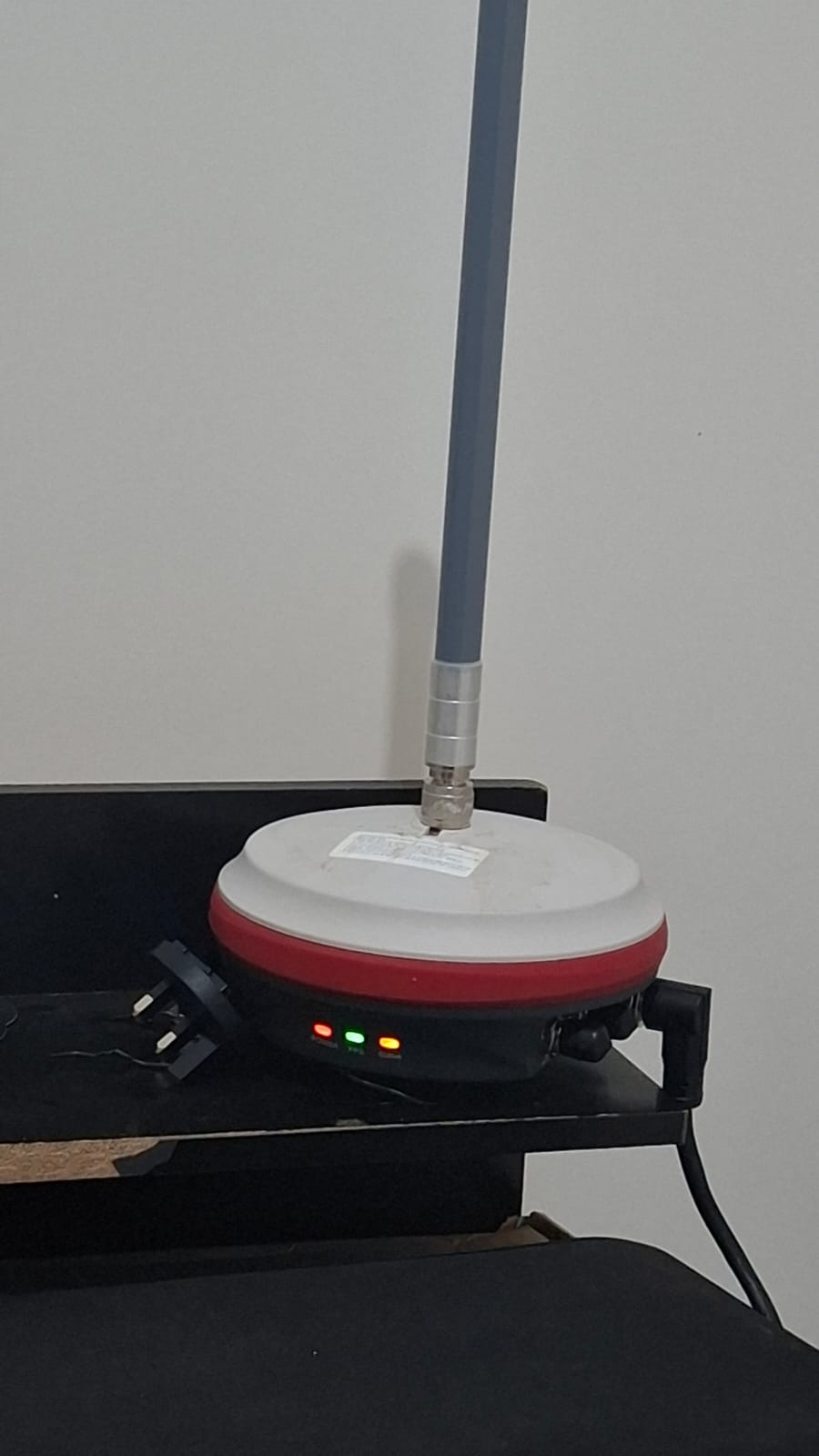
Power LED (red) ON
PPS/GPS LED (green) ON
Status LED (yellow) ON solid
No Wi-Fi AP broadcast (MGW310_XXXXXX does not appear)
No Ethernet link: when connecting the MGW310 to any router, the LAN port LED does not light up
Because of this, the MGW310 never receives an IP address
WebUI is not accessible via Wi-Fi or Ethernet
Troubleshooting already done
Multiple power cycles (including long waits)
Forced AP reset attempts (power cycling sequences)
Tested with different Ethernet ports
Confirmed the unit boots normally (LEDs indicate full boot)
Tried accessing WebUI by:
Direct Ethernet to router (no link)
macOS Internet Sharing (Wi-Fi → Ethernet) using a USB-Ethernet adapter
Ethernet interface stays Not Connected
MGW310 does not obtain an IP
Antenna is properly connected at all times (never powered without antenna)
Current conclusion
The MGW310 appears to be **stuck in a network state where it neither:
falls back to AP mode
nor brings up the Ethernet interface**
This makes it impossible to access the WebUI and force “Go To AP Mode”.
Questions
Is there a documented recovery procedure for MGW310 when:
AP mode does not appear
Ethernet link never comes up?
Is there a firmware recovery / hard reset method available?
Could this indicate a faulty Ethernet interface or cable assembly, even though the unit otherwise boots correctly?
Any guidance from HYFIX, Wingbits, or other MGW310 operators would be greatly appreciated.
Thank you!
 Wingbits
If it can’t connect via WiFi for long enough it is supposed to reset to AP mode. Maybe try leaving the Ethernet cable unplugged for a while to see if it reverts back to AP.
Also for Ethernet check the cable at the interface where it plugs into the MGW. There were some issues where the metal pins got pushed in so they can’t connect when the cable gets plugged in (also try reseating the cable connection to the MGW).
You could take it back to the original location and see if it can reconnect?
Otherwise it sounds like a hardware problem. Have another MGW where you could swap the cables and see what happens? If not then probably open a support ticket with Wingbits; use the chat icon on their homepage.
Use my HeliumDeploy affiliate codes: